
It usually starts with one small subscription. A product research tool to find something to sell. A design tool for your ads. An AI assistant to write product descriptions. An email platform, a reviews app, a page builder, an SEO tool. Each one made sense when you signed up. Each one costs less than a nice lunch. Then one day you open your bank statement and realise you are paying for eleven different tools, and you are not sure you have opened three of them this month.
That is tool sprawl, and almost every online store owner has it. It does not feel expensive because the cost arrives in small pieces, month after month. But added together, your software can quietly become one of the biggest lines in your budget.
This guide shows you how to find out what your tools really cost, how to spot the waste, and how to build a leaner setup that runs your whole business from fewer places.
Some links in this article are affiliate links. If you sign up through them, we may earn a commission at no extra cost to you. We only recommend services we would consider using ourselves.
Why tool costs get out of hand
- They are small, so nobody questions them. A $20 charge does not get the attention a $2,000 invoice would.
- They overlap. Two AI assistants, two design tools, two research tools. You often use one and pay for both.
- Free trials turn into paid plans. Many stores are still paying for something they tried once.
- Everything scales with you. As your store grows, plans move up a tier, extra seats get added, and nobody moves them back down.
- Switching between them costs time. Ten logins, ten dashboards and ten places to look for the same answer is its own hidden expense.
Step 1: List every tool you pay for
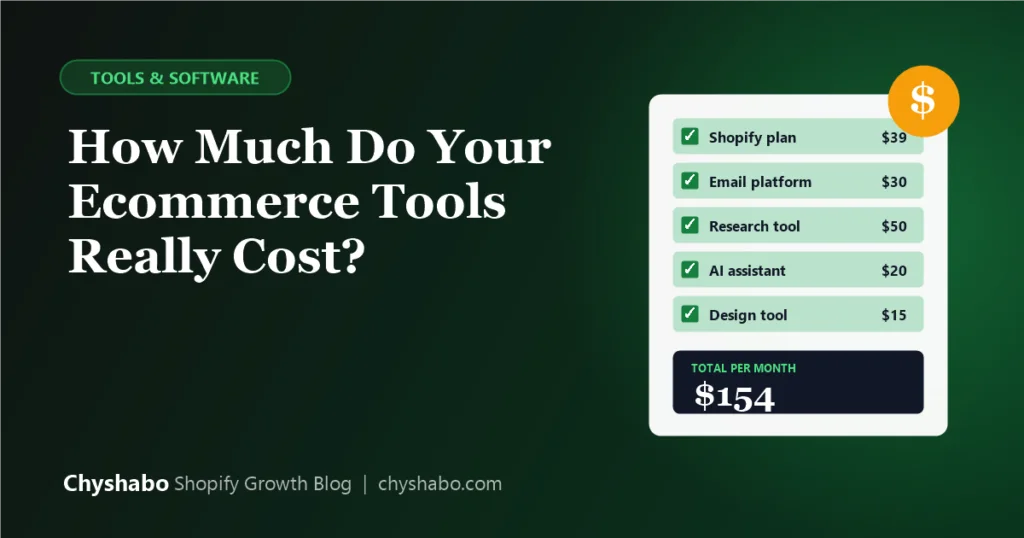
Open your bank or card statement for the last three months and write down every software subscription. Do not trust your memory, because this is exactly where forgotten tools hide. Then sort them into six groups. This is a useful way to think about your whole business, too:
- Run: the tools that keep the store working, such as your Shopify plan, payments and shipping.
- Sell: email, SMS, reviews, upsells and page builders.
- Find: product research and ad spy tools that help you decide what to sell and how competitors advertise.
- Create: design, AI writing, AI images, video and voice tools.
- Measure: analytics, tracking and reporting.
- Admin: accounting, project management, storage and team chat.
Now put your real numbers into the calculator below. Tick the tools you pay for, change the prices to match yours, and add your monthly revenue and orders if you would like to see your cost as a share of sales.
Step 2: Read your number honestly
Three figures matter most:
- Your yearly total. Multiply your monthly cost by twelve. Seeing it as one annual number often changes how it feels.
- Cost per order. If your tools cost you a few dollars every time someone buys, that comes straight out of your margin. Compare it with what you know about your net profit.
- Share of revenue. There is no universal right answer, but if software takes a large slice of what you earn, it needs to earn its place.
The question to ask about every tool is simple: what did this help me sell, save or decide last month? If you cannot answer, it is a candidate to cut.
Step 3: Cut the obvious waste
- Cancel anything you have not used in the last month. You can always sign up again.
- Remove duplicates. Pick the assistant, design tool or research tool you actually reach for, and drop the other.
- Check your plan tiers. If you are on a bigger plan than you use, step down.
- Switch to annual billing for tools you are sure about. It is often cheaper, but only do this for tools you will definitely keep.
- Look at seats. Remove people who no longer need access.
Step 4: Decide what to keep, what to consolidate
Once the waste is gone, look at what is left in three piles:
- Must-keep operating tools. Your Shopify plan, payments, email and SMS delivery, accounting. These run the business and are not good candidates for bundling.
- Tools you use every week. Keep them, and make sure you are on the right plan.
- Tools you use occasionally. This is usually the research, spy, design and AI group. You need a bit of everything but not all of it every day, which is where a consolidated subscription can make more sense than paying for each one alone.
An all-in-one option to consider: SpyBox
If your third pile is large, an all-in-one subscription for ecommerce tools is worth a look. SpyBox is one example. It bundles more than 40 tools into a single subscription, grouped into product research, ad spy tools, AI image and design, AI text, AI video, AI voice, and analytics. Tools listed on its site include well-known research and spy tools, AI assistants, design and video tools and SEO tools.
According to its site, this is how it works:
- You choose a monthly plan (listed at €29.99 a month) or a yearly plan (listed at €249.99 a year). Both include 100,000 SpyBox credits per month to use across the tools.
- You install the SpyBox app on a Windows or Mac computer and log in to get access to the tools.
- You can cancel at any time, and there is 24/7 customer support.
Use the code SPYBOX10SB for 10% off. Prices and offers change, so check the current details on the site.
Who it suits, and what to check first
A bundle like this tends to suit sellers who use many research, creative and AI tools each month, but none of them heavily enough to justify a separate subscription for each. It is a poor fit if you only use one or two of the tools it includes, or if you need one tool at heavy volume. Before you sign up, be sensible about a few things:
- Compare the tools you actually use. Use the calculator above, and count only the tools you would really open, not the total number on offer.
- Read the terms. Check SpyBox’s terms of service, and check the terms of the tools you rely on, so you understand how access works and what is allowed.
- Expect some variation. Reviews on the SpyBox site praise the support team and value for money, but a few also mention that individual tools are occasionally unavailable or change between versions. If a business-critical tool goes down, do you have a backup?
- Watch the credits. The credit system limits how much you can use the heavier tools each month.
- Start with the monthly plan. Try it for a month or two before you commit to a year.
It also does not replace the tools that run your store. Your Shopify plan, payments, email and SMS, accounting and shipping are separate.
Building one system to run your business
The aim is not to own the fewest tools. It is to have a setup where every subscription has a clear job. A simple structure to aim for:
- Run: keep this lean and reliable. Fewer apps mean a faster store.
- Sell: a small set of tools for email, reviews and offers, chosen for what they add to revenue.
- Find and Create: one consolidated place for research, design and AI work if you use enough of it.
- Measure: a simple weekly view of sales, ad spend and profit. Our free Break-Even ROAS Calculator and Break-Even Orders Calculator help here.
- Admin: the boring basics, kept as cheap as they can be.
Because every added app also adds scripts to your store, trimming your stack helps your page speed as well as your budget. And if you would rather not manage all this yourself, our store management and sales reporting services take much of the day-to-day off your plate.
A 20-minute tool review to repeat every quarter
- Open your card statement for the last three months and list every software charge.
- Put each one in Run, Sell, Find, Create, Measure or Admin.
- For each, write down the last time you used it and what it helped you sell, save or decide.
- Cancel or downgrade anything without a clear answer.
- Enter what is left in the calculator and note your new monthly and yearly cost.
Final thoughts
Nobody sets out to pay for tools they do not use. It just happens, one reasonable decision at a time. The fix is not complicated: know your number, cut what does not earn its place and put the rest into a setup where each tool has a job. A consolidated subscription can be a useful part of that, as long as you choose it for the tools you will really use.
If you would like help deciding which tools your store actually needs, book a free call and we will go through your setup with you.