
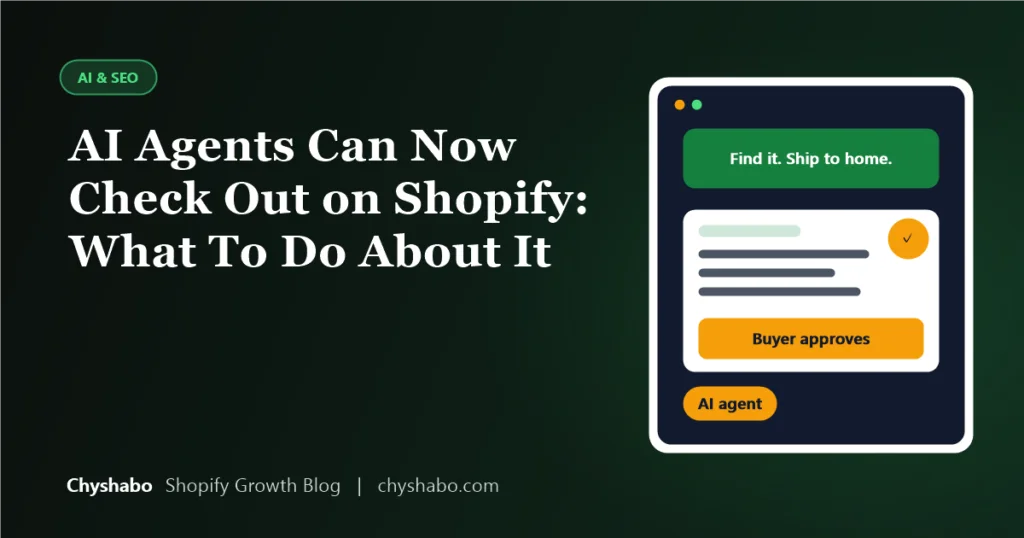
On September 28, 2026, Shopify announced that AI agents running in a shopper’s browser can now work with checkout. They can read a checkout, change supported details such as the address or delivery option, and place the order once the buyer has authorized it. Since August, they could already search a store’s catalog, manage the cart and head to checkout. Put together, an AI assistant can now go from “find me a good option” to “order it” on a Shopify store.
That sounds dramatic, and it is a real shift. It is also early. This article explains what Shopify actually announced, what it means for a store you run today, and the practical things worth checking, especially if you sell products from suppliers you do not control.
The facts in the “what changed” section come from Shopify’s own developer changelog (entries dated August 5 and September 28, 2026). The sections on what to do about it are our interpretation. Nobody has long-term data on how agent shopping behaves yet, so treat those as sensible preparation, not proven tactics.
What actually changed
- August 5: agents can use your storefront. Shopify turned on WebMCP tools on online stores. WebMCP is an emerging standard that lets a browser-based AI agent call a site’s actions directly, instead of guessing by clicking around the page. According to Shopify, agents can search the catalog, browse and read product details, manage the shopper’s cart, go to checkout, and search store policies and FAQs.
- September 28: agents can work with checkout. Agents can read the state of a checkout and the order details, change supported checkout fields, and submit the order.
- The buyer stays in control of sensitive steps. When something needs the shopper, such as 3D Secure authentication or a checkout extension that needs interaction, control is handed back to the buyer.
- Nothing to install. Shopify says the Liquid storefront tools are live on every Liquid store and need no setup or theme changes. They call the same standard storefront actions that apps already use.
- Support is still narrow. WebMCP is described as an emerging standard, and support is currently limited to Chromium-based browsers through an origin trial.
What this does and does not mean
It does not mean a flood of robot shoppers is about to arrive. Most shoppers still use a normal browser and a normal checkout, and the agent route depends on browsers and assistants that are only starting to support it.
It does mean that the way a store presents itself is no longer only visual. If an agent is reading your catalog and policies directly, then what matters is whether the facts are complete, consistent and easy to read. A page that looks nice but hides the shipping time in an image, or has different return wording in three places, is harder for an agent to rely on than for a human who can scroll and work it out.
Why dropshipping and sourced-product stores should pay attention
This is our reasoning rather than anything Shopify has said. Stores that sell products from suppliers often have the messiest information, because the data arrives from somewhere else:
- Titles copied from a supplier listing, full of keywords and unclear on what the product actually is.
- Variants named inconsistently, or sizes that do not match the real item.
- Shipping times that say one thing on the product page, another in the policy, and a third in a banner.
- Return rules that do not match what the supplier will actually accept.
A human shopper may shrug at that. An agent acting for a shopper is more likely to avoid a store whose answers do not agree with each other, or to place an order based on a promise you cannot keep. Clean data protects you either way.
A practical checklist for this month
1. Make sure your product data is complete
Go through your best sellers and check that each one has a clear title, a proper description of what it is, and variants with accurate names and options. Put real specifications in the page text, such as size, material and what is in the box. Our product page design work starts from exactly this.
2. Say one thing about shipping, everywhere
Write down your honest delivery window for each region you sell to, then make sure the product page, shipping policy, cart messaging and any announcement bar all say the same thing. If you ship from overseas, say so plainly. Promising a window you cannot meet is the fastest way to turn an automated order into a refund.
3. Review your policies
Agents can search your policies and FAQs. Read yours as if you had never seen the store. Are the returns, refunds, shipping and contact details clear, current and consistent with what your supplier will really do? If you use multiple suppliers, make sure your policy is something you can honour for all of them.
4. Test your checkout like a new buyer
Run a full test order on mobile and desktop, in the countries you sell to. Check that the delivery options, discount codes and payment methods behave properly, and that nothing in your checkout asks for an unusual step. If an agent is going to hand back control at some point, it should hand it back to a checkout that works. Our guide to what breaks before BFCM lists the usual culprits.
5. Keep your tracking trustworthy
Orders placed through an agent still need to be counted properly. Confirm that your purchase events fire once, with the right value, and keep an eye out for traffic that does not look like a normal visit. Also remember that Shopify recently changed how it counts sessions, which we cover in our guide to the September 21 sessions update.
6. Do not block what you want to be found by
If a security tool, CDN setting or app is blocking automated visitors across the board, think about whether that also stops assistants you would like to reach. This is a deliberate decision, not a default. Our 7-step AI visibility audit shows how to check what is allowed through.
What we would not do
- Rebuild your store around agents. The shoppers you have today use browsers. Fix the basics first.
- Chase unproven tricks. No one has a proven method for getting chosen by an agent. Complete, honest, consistent information is the closest thing to a safe bet.
- Assume every claim you read is right. This area is moving fast, and plenty of articles repeat each other without checking. Where possible, go back to Shopify’s own changelog.
Final thoughts
AI agents completing checkout is an important development, but for most store owners the right response is not a new project. It is a tidy-up: product data that is complete, policies that are clear and honest, shipping promises you can keep and a checkout that works. Those things help human shoppers today and will help whichever agents arrive tomorrow.
If you would like a second pair of eyes on your store, our store and funnel audit covers product data, policies and checkout, and our technical SEO service covers how machines read your pages.